
Live chat stands as the gold standard for customer communication today. 73% of customers consider it their most satisfying way to connect with businesses. Response times tell the story – email takes 12 hours, social media needs 10 hours, but live chat delivers answers in just 60 seconds.
Your business needs the right chat API for website integration to succeed. The numbers paint a clear picture: live chat software market will hit $1.7 billion by 2030, with an 8.8% yearly growth rate. On top of that, a website chat API can boost your conversions by 20%.
Your growing business demands a dependable chat solution. This piece will guide you through eight proven chat APIs that deliver results in 2026.
Iotum Video Chat API: Seamless Visual Communication

Need reliable video communication right on your website? Iotum video chat API delivers crystal-clear video quality with impressive bandwidth efficiency. The platform’s innovative technology maintains exceptional quality even when internet connections aren’t stable.
Key Features of Iotum’s Video Chat API
Iotum delivers outstanding video performance through several advanced technologies:
- Adaptive resolution technology that scales from 96p to 1080p based on available bandwidth
- High-definition audio supporting up to 192 kbps for clear, disruption-free sound
- VP9 SVC technology that adjusts to specific network conditions for smooth calls
- 48 kHz sampling rate with full-sound bandwidth capture for pristine audio quality
The system outperforms competitors even under poor network conditions. Iotum’s patented voice call technology works well in low-bandwidth scenarios, making it perfect for global teams with varying connection qualities.
Beyond video capabilities, Iotum has Cue™, an AI-powered assistant that automates transcription, filters repetitive words, and saves everything to the cloud after each video chat. Users can tag important moments and use smart search to find valuable information later.
Integration Options for Websites
Adding Iotum to your website takes minimal technical effort. A few lines of code in your application or website enable video calling features. This plug-and-play approach lets you implement video chat without extensive development resources.
The API lets you customize everything for branding. You can add your logo, color scheme, and other brand elements, creating an experience that feels native to your website. Users stay on your page during video conversations.
Developers find the integration process simple because Iotum runs on WebRTC technology, which needs no downloads from end users. This approach strengthens security and removes friction from the user experience.
Pricing Structure
Iotum’s flexible pricing adapts to specific requirements. While detailed pricing needs direct contact with the company, they provide affordable solutions from one-to-one chat options to enterprise systems supporting thousands of participants.
Ground Applications
Iotum’s video chat API serves various industries with specialized applications:
Healthcare: HIPAA-compliant telehealth video conferencing API accelerates diagnostics and brings in-person appointments online. Medical professionals conduct prescriptions, follow-ups, and check-ins through video.
Education: Multi-camera “I see what you see” functionality supports in-depth teaching with live video, voice, and live annotation capabilities. Virtual classrooms connect educators and students effectively.
Customer Service: Representatives blend between chat, phone calls, and video without losing customer connection, creating a smooth support experience.
Field Services: Teams provide immediate feedback for quality inspections, service training, repairs, and estimates through live video connections.
Gaming and Tournaments: Developers can optimize platforms and online tournaments with fully integrated video capabilities, creating engaging multiplayer experiences.
Security remains essential in all implementations. Calls route through secure locations, and the system gets regular security updates. Iotum’s advanced analytics tools monitor call quality, usage metrics, and provide live alerts about potential issues.
Iotum video chat API provides a technically superior, easy-to-implement solution for websites that need reliable video communication matching their brand experience without extensive development work.
Sendbird: Powerful Chat API for High-traffic Websites
Sendbird powers communication for thousands of businesses worldwide. The platform handles a staggering 7 billion messages monthly with 99.99% uptime. This chat API solution excels for websites with high traffic volumes or those expecting rapid growth.
Sendbird’s Website Integration Capabilities
Your website needs careful attention to best practices when adding Sendbird. Developers should never make Platform API calls directly from a client front end in production. A proxy server should protect your Sendbird API token instead. The platform provides SDKs for multiple environments including iOS, Android, JavaScript, and .Net.
WordPress users might face challenges due to limited dedicated documentation. The detailed SDK ecosystem still allows smooth implementation across most website frameworks.
The implementation process involves:
- Adding the Sendbird UIKit components to your website
- Configuring authentication mechanisms
- Setting up channels for different conversation types
- Implementing necessary event handlers
Customization Options
Sendbird’s UIKit serves as the life-blood of website chat customization. Developers can quickly add pre-built UI components. These components follow a modular structure that supports extensive customization.
You can adjust everything from fonts and colors to layouts and button behaviors. This flexibility helps websites maintain brand consistency throughout the chat experience.
The platform lets you create custom UI components that work with the same providers when default modules fall short. Yes, it is possible to build specialized interfaces without losing functionality.
Each module contains a provider with pre-built UI components sharing the same data source. Changes to one provider affect all UI components using it, making global chat interface updates easier.
Performance at Scale
Sendbird’s infrastructure shines in high-traffic scenarios. The platform manages billions of messages across millions of users monthly. Global data centers, load balancing, and smart redundancy systems maintain performance during traffic spikes.
Tests showed impressive results, successfully running 10,000 concurrent 10-minute HD video calls. These tests confirm the platform’s ability to handle heavy communication loads smoothly.
Load balancers distribute tasks across multiple servers to prevent bottlenecks during busy periods. Another server takes over immediately if one fails, keeping communications flowing.
Growing businesses can rely on Sendbird to support up to ten thousand users in a single chat group. This makes it ideal for both small applications and large enterprise systems.
Security Features
Multiple security layers protect Sendbird communications. TLS/SSL encryption secures all data sent to and from Sendbird services. The platform also lets you restrict API access through IP and domain limitations.
The API token system offers two types: “master tokens” and “secondary tokens”. Master tokens can issue and delete secondary tokens but remain unchangeable. Security best practices require storing tokens in environment variables or secure storage, never in source code.
Regular token rotation reduces risks from extended exposure. Unused tokens should be removed right away to keep the system secure.
Sendbird provides user permission controls beyond simple security measures. These detailed controls let you assign proper permissions based on user roles, protecting sensitive functions effectively.
Sendbird strengthened its security team by a lot in 2022 by hiring their first Chief Information Security Officer. This shows their dedication to protecting customer data as communication needs grow.
Twilio Conversations API: Omnichannel Website Messaging
Twilio Conversations API reshapes the scene of website messaging through its all-encompassing approach. Other solutions handle channels separately. Twilio creates virtual spaces where customers can communicate on multiple platforms at once.
Cross-platform Communication Features
Twilio’s omnichannel capabilities go way beyond the reach and influence of typical website chat. The API smoothly connects:
- SMS and MMS messaging
- In-app or web chat experiences
- WhatsApp messaging
- Facebook Messenger
This API stands out because it keeps conversation context intact across channels. Twilio’s platform lets businesses create virtual spaces where customers can participate from their preferred channel. A customer can start chatting on the website and switch to SMS while keeping the same conversation thread without repeating information.
The platform’s cross-channel system routes and groups conversations automatically. No extra code needed. Read receipts show up in unified message logs across all channels.
Website Implementation Process
You can add Twilio Conversations to your website through several simple steps. The first step needs you to sign up for Twilio and get a phone number if you want SMS capabilities.
The setup becomes simple with:
- Web SDKs for browser-based chat applications
- Mobile SDKs for Android and iOS integration
- Quick Deploy Applications and UI Kits to launch faster
Developers can customize conversations, users, participants, and messages to create experiences that match their business needs. The API has participant management features that help add or remove users and assign roles through code.
Cost Analysis
Twilio uses a pay-as-you-go model based on monthly active users (MAU). Here’s the pricing structure:
| Monthly Active Users | Price per Active User |
| Up to 200 | Free |
| 201-5,000 | $0.05 |
| 5,001-10,000 | $0.05 |
| 10,001-20,000 | $0.04 |
Users become active when they log in to a front-end SDK, join a conversation, send messages, or have their records updated. Media storage costs $0.25 per GB monthly.
Standard SMS/MMS and WhatsApp rates apply separately from the Conversations API pricing. Businesses with more than 20,000 monthly active users can get volume pricing.
Customer Success Stories
HubSpot combined Twilio’s WhatsApp Business API in weeks and gave customers more ways to connect. Their results showed 88% more clicks on WhatsApp call-to-action compared to regular meeting bookings in Brazil. India saw similar success with 86% more WhatsApp option clicks.
Toyota Connected built its next-generation contact center for Drivelink using Twilio Flex. This improved their driver’s experience. Electrolux used Twilio solutions and achieved 99.9% uptime for their contact center.
Workday makes use of information from Twilio Messaging to send SMS notifications during recruitment. Their customers saw better end-user participation and faster task completion.
These examples show how businesses of all sizes use Twilio’s omnichannel messaging to build stronger customer relationships. It works well whatever communication channel customers choose.
Stream Chat: Developer-friendly Website Integration
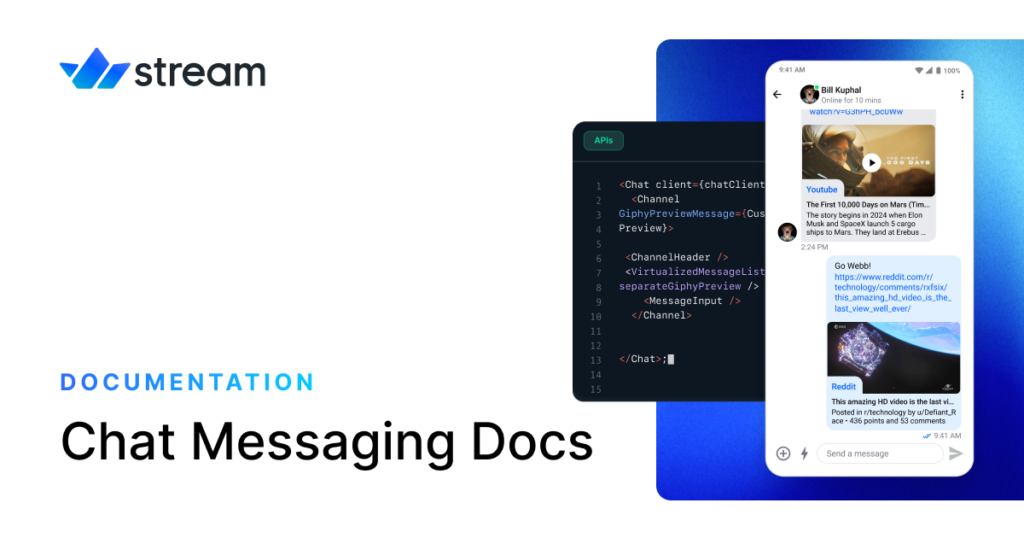
Stream Chat has become a favorite among developers who want to add chat features to their websites. The platform combines powerful features with user-friendly tools. Their APIs serve over 1 billion end-users, making them one of the most popular chat solutions today.
Stream’s UI Components for Websites
Stream offers UI components that work on multiple platforms. Their Chat UI Kit has more than 50 screens with components that merge naturally. Developers love the modular structure because it gives them flexibility to customize.
The library gives you building blocks to create custom message interfaces:
- MessageActions – displays available message options like edit and pin
- MessageText – renders message content in markdown format
- MessageTimestamp – shows when messages were sent
- QuotedMessage – displays referenced previous messages
Stream’s approach to theming makes them unique. The UI kits come with 12 themes you can customize in both light and dark modes. You can match your brand’s look faster with just a few clicks, unlike other solutions that need extensive code changes.
Stream’s browser-specific UI kits give you ready-made components for:
- Chat message lists with attachments support
- Channel displays with read indicators
- Thread management to organize conversations
- Reaction systems with emoji support
- Message input fields with multimedia capabilities
API Documentation Quality
Stream’s documentation ranks among the best available for chat APIs. They create specific documentation paths based on what you need – from low-level clients to complete UI kits.
The platform organizes documentation by platform, which developers find helpful. You get specific guidance for:
- React components and client implementation
- iOS/Swift integration specifics
- Android development guidelines
- Flutter integration steps
- Unity gaming implementation
Their documentation shows real code examples that help you understand common patterns. To cite an instance, you’ll find specific code snippets about user management, channel operations, and message handling.
The client documentation explains authentication methods clearly and provides multiple ways to implement features. You’ll find detailed information about advanced features like moderation tools, offline support, and push notifications.
Pricing Model
Stream bases its pricing on Monthly Active Users (MAU). The free tier lets you test with up to 100 MAU and 25 concurrent connections.
Their payment structure follows these tiers:
| Plan | MAU Limit | Starting Price | Key Features |
| Free | 100 | $0 | All chat features, community support |
| Start | 5,000+ | $399/month | Advanced moderation, 2 billion records |
| Enterprise | Custom | Custom | AI moderation, 99.999% SLA, 24/7 support |
Stream keeps their pricing consistent for all customers, unlike competitors who use variable pricing. This makes it easier to budget your chat implementation.
Small startups and side projects get extended free limits. Projects with less than 5 team members earning under $10,000 monthly can use higher usage caps.
Stream’s global edge network delivers low latency worldwide. Their reliable infrastructure achieves 99.999% uptime, better than many competitors.
The platform processes billions of messages monthly through globally distributed servers. This setup prevents local outages from affecting your website’s chat features.
CometChat: Feature-rich Website Messaging Solution
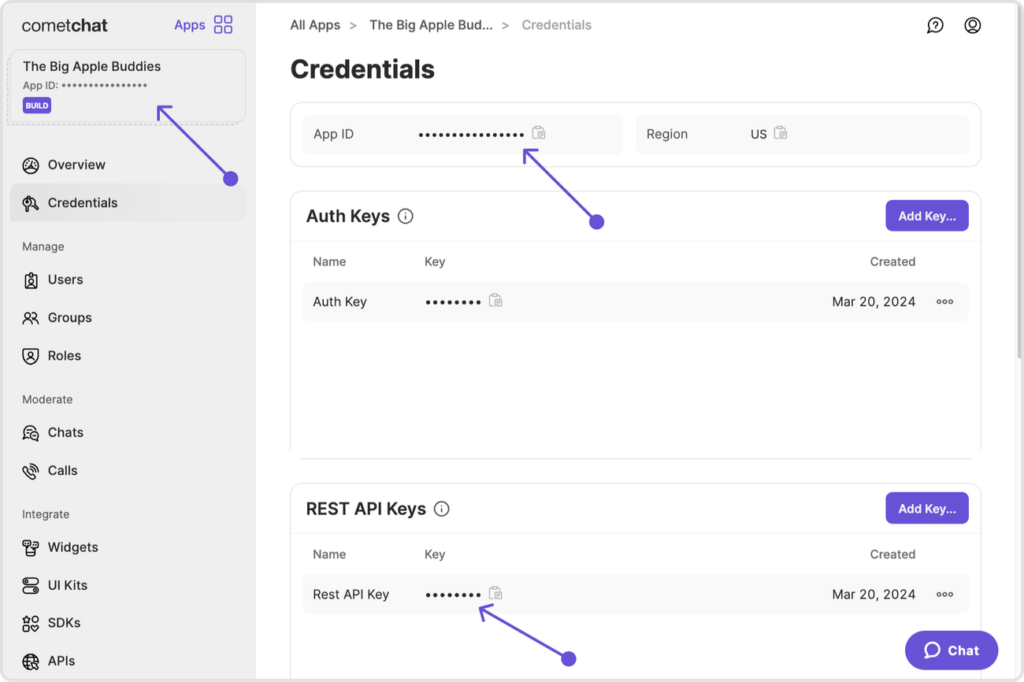
CometChat provides a no-code chat solution that lets websites add messaging features quickly without compromising quality. Your site can have messaging, voice calls, and video capabilities within minutes instead of weeks through a simple copy-paste setup.
CometChat’s Website Widgets
Adding messaging to any website becomes simple with the Chat Widget, which needs minimal technical knowledge. Here’s what you do:
- Toggle desired features directly from a dashboard interface
- Copy a few lines of code to your website
- Customize colors, icons, and layouts to match your brand
This solution works great with WordPress, HTML, Bootstrap, and jQuery implementations. These widgets started as proof-of-concept projects and grew into complete solutions that serve enterprise deployments too.
The widget interface supports both embedded and docked layouts. Your visitors stay on your site because they don’t need to switch to other communication tools.
Moderation Tools
The dual-engine moderation system makes CometChat unique by combining AI precision with customizable rules. Their content filtering system handles:
- Text conversations with profanity detection
- Image content with inappropriate visual detection
- Video analysis with frame-by-frame scanning
The platform’s AI moderation engine heads over to entire conversation flows instead of isolated messages. This context-aware approach catches sophisticated evasion tactics that standard filters miss.
Teams that need human oversight get a complete moderation dashboard to review flagged content with full conversation context. High-risk threats get priority through an intelligent queuing system in this centralized approach.
Integration with Popular Platforms
CometChat goes beyond standalone websites with specialized integrations for popular platforms. Current integrations include:
| Platform | Integration Type | Notable Features |
| WordPress | Plugin | Quick installation, widget compatibility |
| Flutter | SDK | Native mobile experience |
| Intercom | Extension | Customer support improvement |
| Canvas | Integration | Educational collaboration |
| SocialEngine | Component | Community participation |
These integrations do more than just basic setup. To name just one example, developers can create custom user interfaces while using CometChat’s backend infrastructure. This flexibility explains why you’ll find this solution in applications from marketplaces to healthcare platforms.
Cost Breakdown
CometChat keeps pricing transparent without hidden fees. While exact pricing needs a company contact, starting options include:
The base Growth plan begins at $119 per month with annual billing. Growing businesses find this budget-friendly. Each plan has core messaging features with no extra charges for essential capabilities like notifications and moderation.
Higher-tier packages include advanced functions like voice and video calls, whiteboard collaboration, and language translation. CometChat stands out because it doesn’t charge per message or notification, unlike its competitors.
Enterprise customers get specialized plans with dedicated support, custom integrations, and service level agreements that guarantee uptime performance.
PubNub: Real-time Website Chat Infrastructure
PubNub serves as the foundation for websites that need reliable chat infrastructure with less than 30ms latency worldwide. The network delivers top performance on all devices, even with poor connectivity.
PubNub’s Scalability for Websites
PubNub’s design lets websites handle huge communication loads through its global network. The system runs at almost 100% stability and offers a 99.999% uptime SLA to pro-level customers. Websites can handle sudden traffic spikes without losing performance.
The Edge Messaging Network tackles login issues through two methods:
- Force Remote WebSocket Logout – Takes away previous permissions when users log in elsewhere
- Block Access While WebSocket Subscription in Use – Stops new logins while users stay active
This setup helps PubNub send messages right away across 15+ global points. The system copies messages to these locations within milliseconds and makes sure they arrive even during peak loads.
Implementation Complexity
PubNub’s publish/subscribe (pub/sub) model makes real-time architecture easier. Messages go out through channels, and connected devices get these messages as soon as they’re sent.
Developers can pick from these options:
- Direct client-side implementation (best for quick delivery)
- Server-side message handling (more flexible but slower)
The biggest advantage lies in skipping infrastructure management. A developer put it simply: “A ton of engineering goes into real-time infrastructure”. PubNub handles these complex tasks so teams don’t need to build custom systems for connections, routing, or message queues.
Security Standards
PubNub protects data through multiple security layers. Transport Layer Security (TLS) encryption keeps all client-server traffic safe from attacks. Every production app gets this protection by default.
PubNub Access Manager adds token-based control for data channels. The system offers:
- Token grants and revokes that work right away
- Detailed read/write permissions
- AES256 encryption for messages and files
Healthcare apps benefit from PubNub’s HIPAA compliance plus SOC 2 Type II and ISO 27001 certifications. Data can stay in specific regions (EU-only, APAC-only, or US-only) to meet local laws.
PubNub focuses on speed and security. Strong protection, detailed certifications, and a global network make it the go-to platform for 350,000 developers worldwide.
Firebase: Google-backed Chat Solution for Websites
Firebase provides a versatile backend solution that adds chat functionality to your website without starting from zero. This powerful platform drives millions of apps through its development tools and live infrastructure.
Firebase Realtime Database for Chat
The Firebase Realtime Database stores data in JSON format, which makes it ideal for chat applications. Messages sync automatically within milliseconds across connected devices, giving users instant updates. Firebase suggests a flattened data structure for chat implementations:
{
“messages”: {
“chat_room_1”: {
“msg1”: {
“sender”: “user123”,
“text”: “Hello there!”,
“timestamp”: 1459361875337
},
“msg2”: {…}
}
}
}
This structure prevents deep nesting that could slow down performance. Messages reach all subscribers immediately without page refreshes or polling.
Authentication Options
Firebase Authentication comes with several sign-in methods that work great for chat applications:
- Email/password authentication for traditional login
- Social provider integration (Google, Facebook, Twitter)
- Phone number verification with SMS
- Anonymous authentication for quick access
Anonymous authentication is particularly useful when website visitors want to chat without creating accounts. Enterprise users can upgrade to Firebase Authentication with Identity Platform to get additional features like multi-factor authentication and SAML support.
Cost-effectiveness for Small to Medium Websites
Firebase uses a freemium model that suits smaller websites perfectly. The free Spark plan has these limits:
| Feature | Free Limit |
| Authentication | 10,000 monthly users |
| Realtime Database | 1 GB storage + 10 GB transfer |
| Cloud Storage | 5 GB |
| Firestore | 20,000 writes & 50,000 reads daily |
The pay-as-you-go Blaze plan kicks in once you exceed these limits. These free allocations are enough for many chat implementations during development and early growth stages.
Firebase excels when teams need simplified backend infrastructure. You can manage authentication, database, and storage through a single service instead of multiple providers. While Firebase handles the backend complexity, you’ll need to build your own chat UI or integrate it with a front-end framework.
MirrorFly: Customizable White-label Chat API

MirrorFly offers a highly adaptable white-label chat API that helps you build communication tools just as you foresee them. The platform gives you full source code access and lets you customize everything to create branded chat solutions your business needs.
Self-hosting vs. Cloud Options
MirrorFly’s dual hosting approach gives you complete deployment flexibility. On-premise hosting puts you in charge of your servers and data. Your conversations flow through your infrastructure, which lets you add your own security measures. You keep full ownership of all user information without any third-party involvement.
The cloud option runs your app on MirrorFly’s dedicated multi-tenant servers. This takes away infrastructure management hassles while keeping your platform’s data separate from other customers. You can switch between these options without any downtime – start with cloud hosting and move to on-premise later.
Feature Set Comparison
MirrorFly packs over 1,000 communication features that cover chat, video, and voice capabilities. Some standout functions include:
- Topic-based chat for hosted conversations
- Large file uploads with no size limits
- Fully customizable UI components
- Multi-tenant architecture for enterprise applications
- White-label functionality with branding elements
MirrorFly stands out by giving you lifetime ownership of the source code. You get unlimited control to change any feature or workflow.
Integration Complexity
MirrorFly takes 20 minutes to one day to implement, depending on your customization needs. The platform works with many technologies like Kotlin, JavaScript, Angular, Swift, Flutter, and WebRTC.
Teams without technical resources can rely on MirrorFly’s dedicated development team to handle everything from design to deployment. Moving from other providers comes with free expert help to move conversations and user data naturally.
Pricing Structure
MirrorFly comes in three pricing tiers:
| Plan | Monthly Cost | Key Features |
| Easy | $0 | Simple chat features, community support |
| Essentials | $399 | Advanced chat features, 8×5 support |
| Premium | $999 | Private 1-to-1 Chat |
Premium users get priority customer service with 4-hour response times and a dedicated success manager. Both Essentials and Premium plans include GDPR and HIPAA compliance.
Comparison Table
| Chat API | Key Features | Integration Complexity | Security Features | Pricing Model | Performance/Scalability | Target Use Cases |
| Iotum Video Chat | – Adaptive resolution (96p-1080p)- HD audio up to 192 kbps- AI-powered transcription (Cue™)- VP9 SVC technology | Just a few lines of code needed | – Secure routing- Regular security updates- WebRTC-based | Custom pricing available on request | Works well even with slow internet | Healthcare, Education, Customer Service, Field Services, Gaming |
| Sendbird | – Multi-platform SDKs- Customizable UI components- Group chat supports up to 10k users | Needs proxy server setup | – TLS/SSL encryption- IP/domain restrictions- Token-based auth | Pricing depends on monthly active users | Handles 7B messages monthly99.99% uptime | High-traffic websites, Enterprise applications |
| Twilio Conversations | – Omnichannel messaging- Cross-platform support- Unified message logs | Easy setup with SDKs and UI Kits | Not mentioned | No cost up to 200 MAU$0.05/user 201-10k MAU | Not mentioned | Cross-platform messaging, Customer support |
| Stream Chat | – 50+ UI screens- 12 customizable themes- Markdown support | Developer-friendly with detailed docs | Not mentioned | Free: 100 MAUStart: $399/mo (5k+ MAU) | Serves 1B+ end users99.999% uptime | Developer-focused applications |
| CometChat | – No-code integration- AI moderation- Voice/video calls | Simple copy-paste setup | Dual-engine moderationAI content filtering | Begins at $119/month | Not mentioned | WordPress, Flutter, Educational platforms |
| PubNub | – Global message delivery- Sub-30ms latency- Distributed network | Requires pub/sub model setup | – TLS encryption- Token-based access- AES256 encryption | Not mentioned | 99.999% uptime15+ global points | High-performance live chat |
| Firebase | – Live sync- Multiple auth methods- JSON-based storage | Backend setup needed | Multiple auth optionsIdentity Platform support | Free tier + pay-as-you-go | Supports millions of apps | Small to medium websites |
| MirrorFly | – 1000+ features- Source code access- White-label options | Setup takes 20 mins to 1 day | GDPR and HIPAA compliant | Easy: FreeEssential: $399/moPremium: $999/mo | Not mentioned | Enterprise, Custom solutions |
Conclusion
Each of these eight chat APIs brings something unique to the table. Iotum video chat API stands out with top-notch video quality and bandwidth efficiency. Sendbird handles huge message volumes while maintaining 99.99% uptime. Twilio and Twilio alternatives create smooth omnichannel experiences. Stream Chat makes developers’ lives easier. CometChat keeps implementation simple. PubNub achieves sub-30ms global latency. Firebase comes with Google’s reliable backing. MirrorFly gives you complete source code control.
The comparison table above helps you match these solutions to your needs. Take a good look at your current requirements and growth plans. Your user volume, technical resources, and budget all play crucial roles in the decision.
It’s smart to test your chosen solution before going all in. Most providers let you try their service for free or start with basic plans. This hands-on testing will verify your choice and show any possible issues early on.